
Styling, fonts, graphics, icons
These elements are part of creative planning.
They affect the look and feel of the website, but they also ensure a consistent look and feel.
Let the template do the bulk of the work
Templates come with their own styling (fonts, buttons, color schemes). Let this be the foundation.
Use Astra preset values
You can easily change fonts, buttons, etc. in Astra. Create a template prototype to try these out.
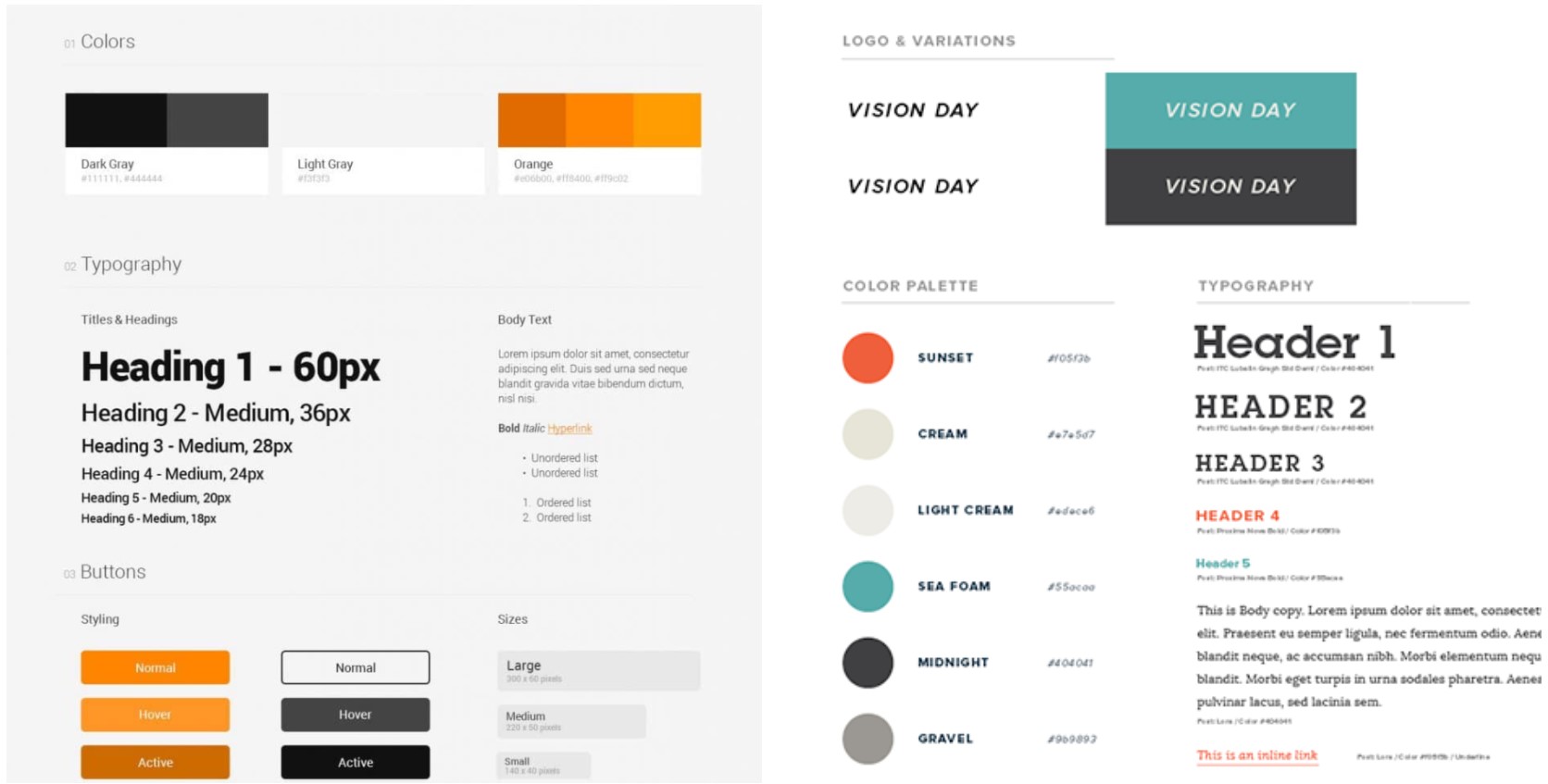
If a Style Guide is needed
A style guide may be needed in some projects because the client wants a specific palette, font, or brand look. In most cases, this work is included in the package.
The disadvantage of using a style guide is that you don’t know if they work, so you should only create one after you have done some creative or layout planning or prototyping.
For Style: Go for vibrancy
To get a stylish website, you need good spacing, good photos and punctuations of color.
Keep colors balanced and sparse (don’t over-color).
Icons: done last and through libraries
Unless the client is willing to pay extra, then don’t include custom icons in the project.
Use the hundreds of ready-made icons out there.
Graphics (infographics, pic art, vector graphics)
Graphic illustrations, photoshop work or not included in our packages, and they are difficult to pull-off., so unless there has been planning and good brief, don’t attempt it.
There are easier ways to achieve a clean, professional look.