
Domain Name Pointing
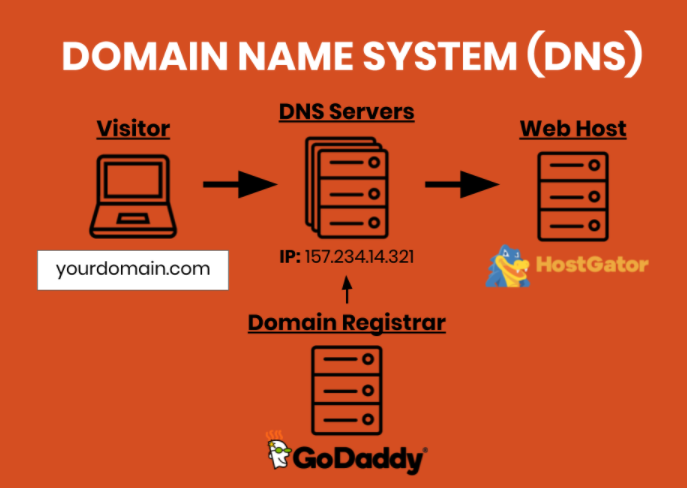
Pointing a domain means connecting your domain name to your web host’s server.
You can buy your domain from one company, the Domain Registrar (e.g., GoDaddy or Name Cheap) but host with another (e.g., A2Hosting)
Via a Control Panel, you have to let the Domain Registrar know where the website is hosted. This is so that when people type in the domain name, the internet knows where in the world, the pages are stored.
When is this done?
Test ahead of launch.
Potential complications
When emails are hosted with a different service provider (e.g., Gmail) than the hosting provider, extra steps are needed in setting up the domain name.
Also, there can be problems when forms on a website have to send emails to a different email server that share the same domain name.
e.g., the website www.XYZ.com has to email 123@XYX.com, which is hosting with Gmail.
In this case, you should use WP Mail SMTP
Get help from Customer Support
It can be complicated to know what to do, but you can always get support from the company where the domain records are stored. (The Domain Registrar)
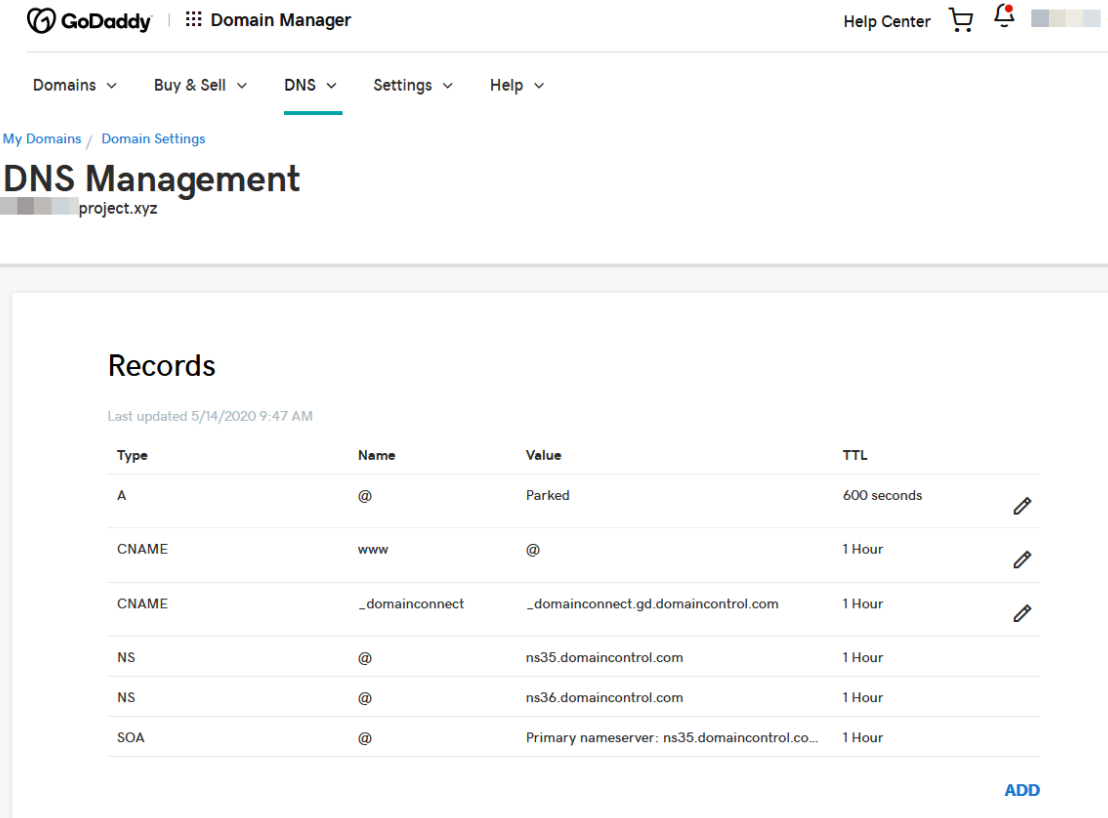
Sample control panel of the Domain Name Registrar
The technician can fill in these fields so that the domain name and hosting service are linked together.
It would take up to 48 hours to take effect. (domain name propagation)
Different record types
DNS management may have different entries. One for email, another for hosting.
It is important to not damage email sending when setting up hosting.